
You know the moment, you're halfway through a fiddly job and you think, surely there's a tool for this. Usually I move on and get back to doing it by hand. This time I didn't, and the credit for that goes to my wife.
She was moving a project from Claude Code to VS Code and trying to figure out the best way to organise her folders and files.
She found it hard to explain her folder structure to Claude. She quickly learned that describing folder structures in a prompt is tricky, since sometimes you want to see it before you commit to it.
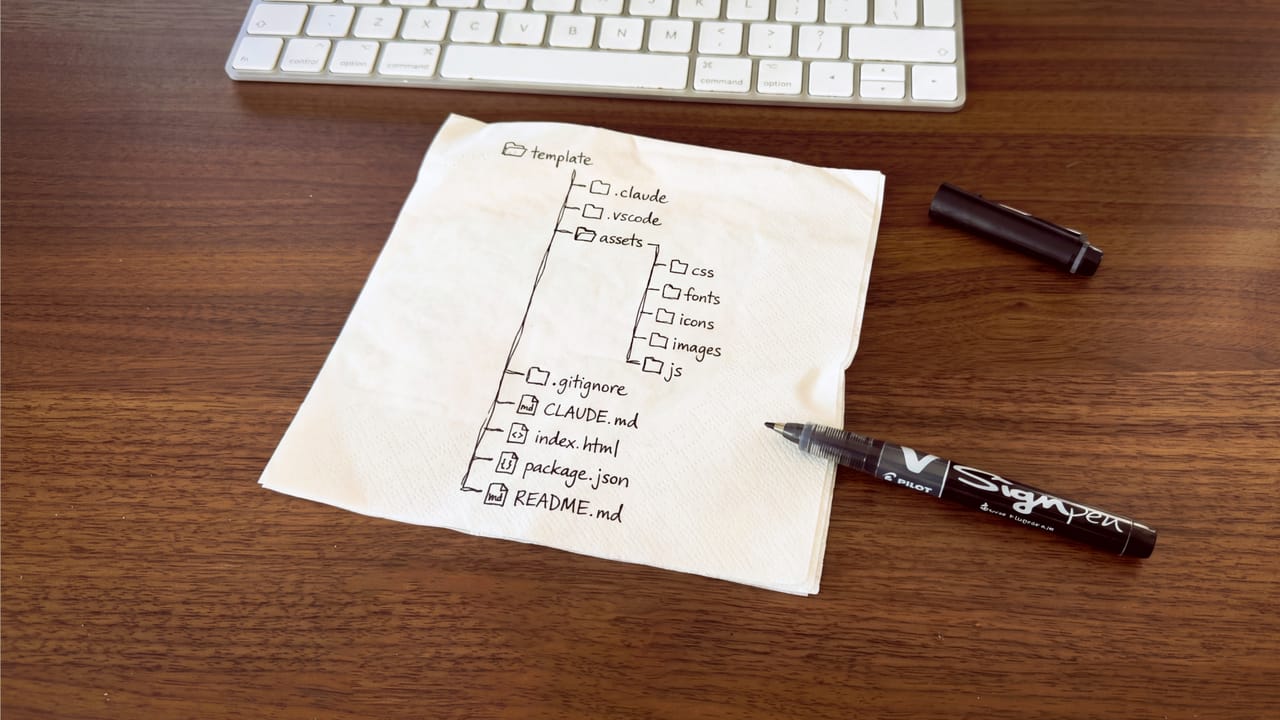
Then she noticed a tree diagram in one of my repo templates. She asked how she could make one too, saying it made the whole project structure much easier to understand.
But I quickly realised it wasn't as simple as asking Claude to build a diagram for you. Editing tree diagrams can get messy, indentation is confusing, formats change, and files move around.
I told her I had made similar diagrams in Figma before, using icons to show where everything goes, and that I could make one for her to edit. She said, "That's such a great idea, this should be a tool everyone can use to set up project structures with AI."
Right after our conversation, I started building the tree diagram and thought there had to be a faster way to make these. So I opened Claude and began building it for real. I started after dinner at 6 pm, and by 9 pm it was live on its own domain.
What did I make?
The tool is called Folder Structure. You can tell I put a lot of effort into the name, right? You build your structure visually by adding, renaming and reordering folders until it looks the way you want. If you already have a structure, just paste it in any common format and it turns into an editable diagram.
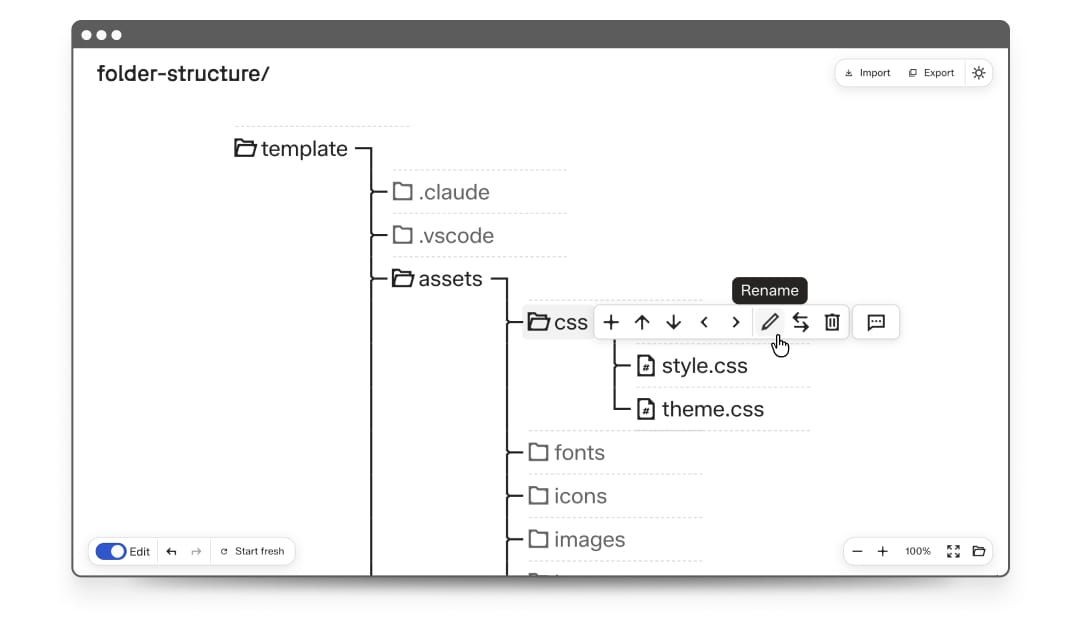
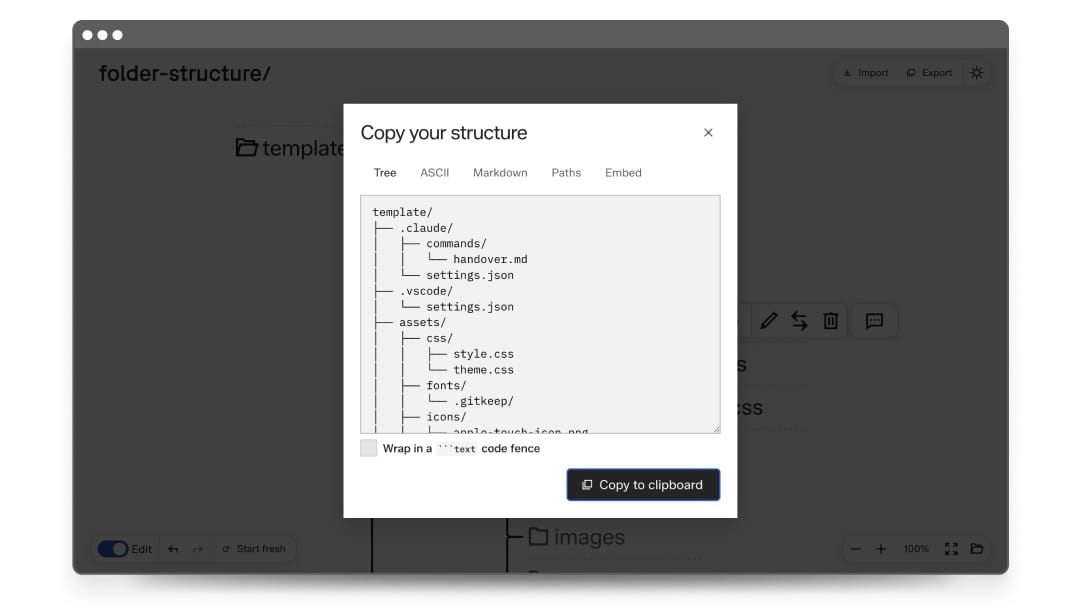
You can take your structure with you by exporting it as clean tree text to paste directly into Claude or any other AI tool. Everything runs in your browser, and you don't need an account. The tree diagram is stored in the URL, so you can embed it wherever you like.
I had my wife test it that same day, and she was thrilled with the result. She was relieved to have something that will help her stay organised as she builds more products with AI.
Now we both use it for every new project. She was right, it isn't just for her. Designers handing files to developers, product managers reviewing deliveries and studios sending work to clients all benefit from a clear folder structure that's easy to understand and navigate.
I spent most of my time on the icons and connectors
Most of my time went into two things, making the connectors look right and designing more icons to represent different file types. I realised the connectors I made in Figma already existed as Unicode box-drawing characters.
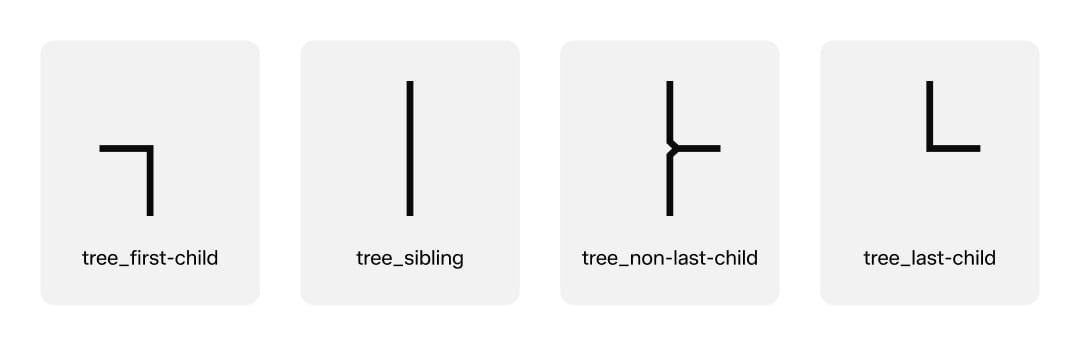
I was able to focus on those details because I wasn't starting from scratch. The diagrams were already in Figma, made months ago to help my design team organise projects.
The tool is built on my studio's design system, the same versioned package we use for every digital client project. That meant I didn't have to make decisions about buttons, dialogs, focus states, dark mode, spacing or typography. All that work was done long before this project, and the tool got it all with a single install.
Claude handled most of the coding, working within my system where all the rules for components, styling and code structure are set. My main job was to guide and review. The first version kept hiding the input field when renaming a folder. AI can move fast in any direction, even the wrong one, so you always need to review the code. The system is what keeps everything on track.
The part that broke
The first deployment failed. Here's what happened. Every new project grabs the latest version of my design system straight from the repo, instead of using an outdated one from a template folder. But my project didn't record which version it was using. That's what Cloudflare looked for, and it found nothing. The build stopped right at the start.
Claude caught the issue and we added the version, then fixed it in the template so it can't happen again. A default I set for one situation carried into another and broke the build. That's how defaults work in both directions. A bad one repeats until you catch it, and a fix repeats forever once you make it.
Why am I telling you this?
You might have a small tool idea sitting in your notes right now. It probably stays there because building a tool feels like a big project, and a project seems like it will take weeks.
When you have a design system that matches your standards and style, with an AI workflow built in, turning an idea into a working tool in one evening isn't a big deal. It just becomes another Wednesday.
The tool only took an evening. But the real speed comes from building the system beforehand, so that you can build and ship in less than a day.